

Sending Out an ASP Newsletter Mailing

If you have created a database full of email addresses for your newsletter, you'll want to send weekly newsletters out to that group. Here's how.
First, be sure to read Getting Subscriptions to your Newsletter. This will help explain how to get your membership subscribers, including checking the email addresses for problems and sending out a thank-you note.
So now you have a database table, let's call it MEMBERS, full of email addresses. You want to be able to send a newsletter out.
Create a form on a webpage that lets you enter the title and content of the email message. That way you can use this form each week to send out your newsletter to your faithful visitors.
On your processing page, take in the two variables:
NLSubject = Request.Form("nl_subject")
NLText = Request.Form("nl_text")
Now it's time to start cycling through all the database members and sending each person their very own newsletter.
Set objRec3 = Server.CreateObject ("ADODB.Recordset")
SQLText = "select email from members"
objRec3.Open SQLText, strConnect, adOpenForwardOnly, adLockReadOnly, adCmdText
While Not objRec3.EOF
Okey dokey, you're in the while loop. This is where we do the actual mail send.
set objMail = CreateObject("CDONTS.NewMail")
objMail.BodyFormat = 1
objMail.MailFormat = 1
objMail.From = "webmaster@yoursitename.com"
objMail.To = objRec3("email")
objMail.Subject = NLSubject
objMail.Body = NLText
objMail.Send
set objMail = Nothing
Message is sent! Now just move on to the next record and keep looping through the names until the end.
objRec3.MoveNext
Wend
objRec3.close()
set objRec3 = Nothing
Pretty simple! Don't forget to give your members a way to unsubscribe easily from your newsletter, so that you aren't accused of being a spammer!
First, be sure to read Getting Subscriptions to your Newsletter. This will help explain how to get your membership subscribers, including checking the email addresses for problems and sending out a thank-you note.
So now you have a database table, let's call it MEMBERS, full of email addresses. You want to be able to send a newsletter out.
Create a form on a webpage that lets you enter the title and content of the email message. That way you can use this form each week to send out your newsletter to your faithful visitors.
On your processing page, take in the two variables:
NLSubject = Request.Form("nl_subject")
NLText = Request.Form("nl_text")
Now it's time to start cycling through all the database members and sending each person their very own newsletter.
Set objRec3 = Server.CreateObject ("ADODB.Recordset")
SQLText = "select email from members"
objRec3.Open SQLText, strConnect, adOpenForwardOnly, adLockReadOnly, adCmdText
While Not objRec3.EOF
Okey dokey, you're in the while loop. This is where we do the actual mail send.
set objMail = CreateObject("CDONTS.NewMail")
objMail.BodyFormat = 1
objMail.MailFormat = 1
objMail.From = "webmaster@yoursitename.com"
objMail.To = objRec3("email")
objMail.Subject = NLSubject
objMail.Body = NLText
objMail.Send
set objMail = Nothing
Message is sent! Now just move on to the next record and keep looping through the names until the end.
objRec3.MoveNext
Wend
objRec3.close()
set objRec3 = Nothing
Pretty simple! Don't forget to give your members a way to unsubscribe easily from your newsletter, so that you aren't accused of being a spammer!
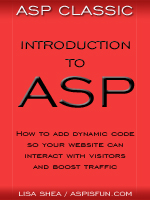 | Introduction to ASP Ebook Download this ebook to get everything you need to know about learning ASP - from a step by step tutorial to function lists, sample code, common errors and solutions, and much more! 101 pages. |

Related Articles
Editor's Picks Articles
Top Ten Articles
Previous Features
Site Map
Content copyright © 2023 by Lisa Shea. All rights reserved.
This content was written by Lisa Shea. If you wish to use this content in any manner, you need written permission. Contact Lisa Shea for details.
