

FOR-NEXT and DO-WHILE Code Looping

One of the most important concepts in programming with ASP is the idea of 'looping'. It allows you to perform an action several times without having to write the same code over and over again. Learn how to use FOR-NEXT and DO-WHILE!
The most commonly used looping construct is the FOR-NEXT loop. Very simply, this means that you give the loop a counter, and it will perform the actions within the loop that many times. Say you want to write out 10 lines of code in order to make a book request form. You could actually hand code all 10 lines. But say it was 20 lines, or 100? You see how this becomes inefficient quickly, especially if you later have to make changes.
Instead, you can easily use a loop to do this without a lot of work. You would simply type in:
FOR LoopCtr = 1 to 100
Response.Write "Book #" & LoopCtr & ": _______________________________
"
NEXT
This code will go from 1 to 100, and write out
Book #1: ________________________________
Book #2: ________________________________
And so on up to 100. Since you can use that LoopCtr variable to perform calcuations or to write out to the user, this is very, very handy.
The second kind of commonly used loop is the DO-WHILE loop. Instead of the FOR-NEXT, which has a definite beginning and end, DO-WHILE simple continues going until some sort of condition is met. There are all sorts of applications for a DO-WHILE loop. Let's say you want to take in a name from a user and you want to write every letter of that name on a separate line. You could use a DO-WHILE loop to keep going until you reach the end of the name:
NameString = "Lisa Shea"
DO WHILE len(NameString)> 0
Response.Write left(NameString, 1) & "
"
NameString = Right(NameString, len(NameString) - 1)
LOOP
Both sorts of loops are used VERY frequently with database operations, as you loop or move through database rows. Be sure to practice writing loops - they will become extremely important when you move on to more advanced coding!
The most commonly used looping construct is the FOR-NEXT loop. Very simply, this means that you give the loop a counter, and it will perform the actions within the loop that many times. Say you want to write out 10 lines of code in order to make a book request form. You could actually hand code all 10 lines. But say it was 20 lines, or 100? You see how this becomes inefficient quickly, especially if you later have to make changes.
Instead, you can easily use a loop to do this without a lot of work. You would simply type in:
FOR LoopCtr = 1 to 100
Response.Write "Book #" & LoopCtr & ": _______________________________
"
NEXT
This code will go from 1 to 100, and write out
Book #1: ________________________________
Book #2: ________________________________
And so on up to 100. Since you can use that LoopCtr variable to perform calcuations or to write out to the user, this is very, very handy.
The second kind of commonly used loop is the DO-WHILE loop. Instead of the FOR-NEXT, which has a definite beginning and end, DO-WHILE simple continues going until some sort of condition is met. There are all sorts of applications for a DO-WHILE loop. Let's say you want to take in a name from a user and you want to write every letter of that name on a separate line. You could use a DO-WHILE loop to keep going until you reach the end of the name:
NameString = "Lisa Shea"
DO WHILE len(NameString)> 0
Response.Write left(NameString, 1) & "
"
NameString = Right(NameString, len(NameString) - 1)
LOOP
Both sorts of loops are used VERY frequently with database operations, as you loop or move through database rows. Be sure to practice writing loops - they will become extremely important when you move on to more advanced coding!
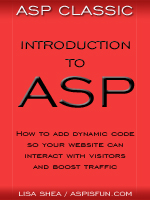 | Introduction to ASP Ebook Download this ebook to get everything you need to know about learning ASP - from a step by step tutorial to function lists, sample code, common errors and solutions, and much more! 101 pages. |

Related Articles
Editor's Picks Articles
Top Ten Articles
Previous Features
Site Map
Content copyright © 2023 by Lisa Shea. All rights reserved.
This content was written by Lisa Shea. If you wish to use this content in any manner, you need written permission. Contact Lisa Shea for details.
