

Creating Send to a Friend Functionality in ASP

You've seen them before on webpages - the links that make it easy for someone to forward the URL and info along to a friend. It's free marketing! How do you implement it?
There are two parts to the code. First, there's a little JavaScript snippet that you are going to put into each page. You don't want to have to hand-code it for each page, that would be very tedious. So instead you make it nice and automatic. The snippet you insert into your webpages, whereever you'd like the 'email a friend' button to show up, is:
<!-- *** SEND-A-FRIEND START *** -->
<script language="JavaScript">var strCode='';</script>
<script src="/SendAFriend.asp"></script>
<script language="JavaScript">document.write(strCode);</script>
<!-- ***SEND-A-FRIEND END *** -->
So far so good. Now you have to make this SendAFriend.asp file - the one that will fill in the 'guts' of this button, and customize it for each page that you're going to use it with. Ignore my ********s, I just put those in to mark out where the code is for you.
*******************************
<%
FrTxt = "<table cellspacing=0 cellpadding=2 border=0 bgcolor=#9999FF><TR><TD>"
FrTxt = FrTxt + "<TABLE bgcolor=#FFFFFF><tr><td align=center>"
FrTxt = FrTxt + "<b>Enjoy this article?<BR>"
FrTxt = FrTxt + "Send this along to a friend!</b><BR>"
FrTxt = FrTxt + "<a HREF=emailfriend.asp?URL="
FrTxt = FrTxt + request.servervariables("HTTP_REFERER")
FrTxt = FrTxt + "&ID=0>"
FrTxt = FrTxt + "<IMG SRC=email.jpg border=0></A>"
FrTxt = FrTxt + "</TD></TR></TABLE></TD></TR></TABLE>"
strRet = "strCode='" & FrTxt & "'"
Response.Buffer = TRUE
Response.ContentType = "application/x-javascript"
Response.Write strRet
%>
*******************************
In essence what this code is doing is making a block of HTML code that is within 2 tables. The tables give it a nice border. There's an 'email.jpg' which is the button the person presses.
The next part is where you actually ask the user to put in their email address and their friend's email address and so on. Make sure that these two pieces work first, though - that you can include the javascript snippet in your base page, and that it properly brings in the information in your SendFriend.asp file. You won't be able to PUSH the button yet, but you should at least SEE the button and text :)
Next, gather the information from the user to Send a Friend
There are two parts to the code. First, there's a little JavaScript snippet that you are going to put into each page. You don't want to have to hand-code it for each page, that would be very tedious. So instead you make it nice and automatic. The snippet you insert into your webpages, whereever you'd like the 'email a friend' button to show up, is:
<!-- *** SEND-A-FRIEND START *** -->
<script language="JavaScript">var strCode='';</script>
<script src="/SendAFriend.asp"></script>
<script language="JavaScript">document.write(strCode);</script>
<!-- ***SEND-A-FRIEND END *** -->
So far so good. Now you have to make this SendAFriend.asp file - the one that will fill in the 'guts' of this button, and customize it for each page that you're going to use it with. Ignore my ********s, I just put those in to mark out where the code is for you.
*******************************
<%
FrTxt = "<table cellspacing=0 cellpadding=2 border=0 bgcolor=#9999FF><TR><TD>"
FrTxt = FrTxt + "<TABLE bgcolor=#FFFFFF><tr><td align=center>"
FrTxt = FrTxt + "<b>Enjoy this article?<BR>"
FrTxt = FrTxt + "Send this along to a friend!</b><BR>"
FrTxt = FrTxt + "<a HREF=emailfriend.asp?URL="
FrTxt = FrTxt + request.servervariables("HTTP_REFERER")
FrTxt = FrTxt + "&ID=0>"
FrTxt = FrTxt + "<IMG SRC=email.jpg border=0></A>"
FrTxt = FrTxt + "</TD></TR></TABLE></TD></TR></TABLE>"
strRet = "strCode='" & FrTxt & "'"
Response.Buffer = TRUE
Response.ContentType = "application/x-javascript"
Response.Write strRet
%>
*******************************
In essence what this code is doing is making a block of HTML code that is within 2 tables. The tables give it a nice border. There's an 'email.jpg' which is the button the person presses.
The next part is where you actually ask the user to put in their email address and their friend's email address and so on. Make sure that these two pieces work first, though - that you can include the javascript snippet in your base page, and that it properly brings in the information in your SendFriend.asp file. You won't be able to PUSH the button yet, but you should at least SEE the button and text :)
Next, gather the information from the user to Send a Friend
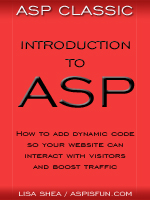 | Introduction to ASP Ebook Download this ebook to get everything you need to know about learning ASP - from a step by step tutorial to function lists, sample code, common errors and solutions, and much more! 101 pages. |

Editor's Picks Articles
Top Ten Articles
Previous Features
Site Map
Content copyright © 2023 by Lisa Shea. All rights reserved.
This content was written by Lisa Shea. If you wish to use this content in any manner, you need written permission. Contact Lisa Shea for details.
