

Creating the Form for Send-A-Friend

Make sure you read Part One first, which describes how to set up the javascript and code to actually make the send-a-friend button. The code on this page is for making the form the user fills out, with their email address, their friend's email address, and any comments.
Ignore the *******s, those are only there to show you what you should put into your own form.
*********************************
Want to share an interesting article with a friend? Just fill out this quick form to send it along to them! The email addresses you enter are COMPLETELY PRIVATE and are not stored in any way.
<%
OrigURL = Request("URL")
%>
<table cellspacing=0 cellpadding=2 border=0 bgcolor="#9999FF"><TR><TD>
<TABLE bgcolor="#FFFFFF"><TR><TD>
<CENTER>
<form name=friend action="processFriend.asp" method="post">
<input type="hidden" name="url" value="<%=OrigURL%>">
<TABLE><TR><TD align="right">
Your email:</TD><TD>
<input type="text" size=25 name="sender">
</TD></TR><TR><TD align="right">
Your friend's email:
</TD><TD>
<input type="text" size=25 name="receiver"><br>
</TD></TR><TR><TD align="right" valign="top">
Comments:
</TD><TD>
-TEXTAREA- name="comment" rows=10 cols=50>
-TEXTAREA->
</TD></TR></TABLE>
<P>
<input type="image" src="email.jpg" name="submit" value="Submit">
</TD></TR></TABLE>
</TD></TR></TABLE>
</form>
<P>
<a href=><%=OrigURL%> rel='nofollow'>Back to the Original Article</A>
<P>
************************************
Most of this page is just HTML, so check out our HTML Site if you have questions about how a form works. What we add in to it is the actual URL that the person is going to forward along to their friend. Don't forget to have an email.jpg image on your website!
Now it's time to Create the ProcessFriend.asp file - the code that will actually take all of this information and send it off to the recipient.
Ignore the *******s, those are only there to show you what you should put into your own form.
*********************************
Want to share an interesting article with a friend? Just fill out this quick form to send it along to them! The email addresses you enter are COMPLETELY PRIVATE and are not stored in any way.
<%
OrigURL = Request("URL")
%>
<table cellspacing=0 cellpadding=2 border=0 bgcolor="#9999FF"><TR><TD>
<TABLE bgcolor="#FFFFFF"><TR><TD>
<CENTER>
<form name=friend action="processFriend.asp" method="post">
<input type="hidden" name="url" value="<%=OrigURL%>">
<TABLE><TR><TD align="right">
Your email:</TD><TD>
<input type="text" size=25 name="sender">
</TD></TR><TR><TD align="right">
Your friend's email:
</TD><TD>
<input type="text" size=25 name="receiver"><br>
</TD></TR><TR><TD align="right" valign="top">
Comments:
</TD><TD>
-TEXTAREA- name="comment" rows=10 cols=50>
-TEXTAREA->
</TD></TR></TABLE>
<P>
<input type="image" src="email.jpg" name="submit" value="Submit">
</TD></TR></TABLE>
</TD></TR></TABLE>
</form>
<P>
<a href=><%=OrigURL%> rel='nofollow'>Back to the Original Article</A>
<P>
************************************
Most of this page is just HTML, so check out our HTML Site if you have questions about how a form works. What we add in to it is the actual URL that the person is going to forward along to their friend. Don't forget to have an email.jpg image on your website!
Now it's time to Create the ProcessFriend.asp file - the code that will actually take all of this information and send it off to the recipient.
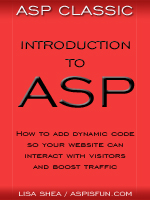 | Introduction to ASP Ebook Download this ebook to get everything you need to know about learning ASP - from a step by step tutorial to function lists, sample code, common errors and solutions, and much more! 101 pages. |

Related Articles
Editor's Picks Articles
Top Ten Articles
Previous Features
Site Map
Content copyright © 2023 by Lisa Shea. All rights reserved.
This content was written by Lisa Shea. If you wish to use this content in any manner, you need written permission. Contact Lisa Shea for details.
