Picot Play by Martha Ess
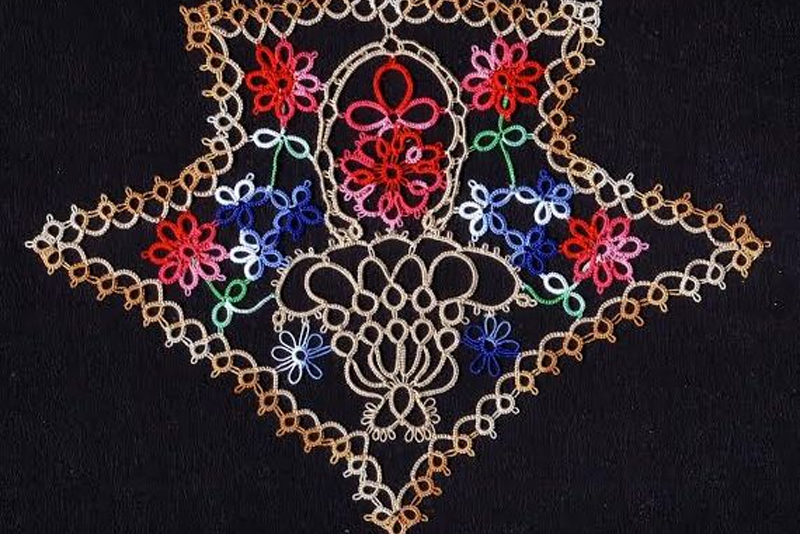
Martha Ess, "Picot Play"
As a tatter, tatting teacher, tatting book collector and tatting shuttle collector, I seem to acquire every new tatting book. But I would rather have a new tatting book than a pair of new shoes. As I turn the crisp new pages, I seem to hear the click of the shuttle in the background. As my eyes take in each new pattern I seem to be thinking of which of the new Lizbeth colors would show it off best. But what I hope to see in each new book is actually a new technique, an old technique presented in a new circumstance or a new interpretation of something I thought I knew all about, like a picot.
Yes, the humble picot. This most decorative of the tatted elements, perhaps the element used most often, doesn't actually exist. The picot is truly just a space left in the work, which, when we surround it with thread, "peeks" up in a most pleasing manner. But there is a trick to how we surround the space with thread. And Martha Ess has recently looked with new eyes at a very old tatting publication by Mrs. Cornelia and Miss Austin, "Tatting or Frivolité.", (1862) and discovered there is more to a picot than we have previously realized.
Martha Ess published a new book, "Picot Play", to pique our interest. ©2011, 44 pages with comb binding, 19 patterns which include bookmarks, hearts, snowflakes, edgings, insertions, a cross, graduated picots, Mrs Mee picot rings, broomstick picots and four pages of definitions and abbreviations.
|  |  |
Martha's other books:
 |  |  |  |
Martha has also been a frequent and generous contributor of patterns to the Online Tatting Class.
The Riego Grapes https://www.georgiaseitz.com/classes2001/essgrape.html
Angel of Tatting and Hairpin Lace https://www.georgiaseitz.com/classes2/ess.html
Strawberry https://www.georgiaseitz.com/2007/essberry.html
Caroline https://www.georgiaseitz.com/2003/esscaroline.html
Praying Mantis https://www.georgiaseitz.com/classes2001/project/essmantis.html
Celtic Style https://www.georgiaseitz.com/2002/essceltic.htm
1895 Edging Modernized by Martha Ess and Hope Green https://www.georgiaseitz.com/classes2001/1895/1895.html
Martha Reinvents the Wheel https://www.georgiaseitz.com/2006/esswheelbkmrk.html
Bicolor Tatted Bee https://www.georgiaseitz.com/classes2001/essbee.html
Block Tatted Cat https://www.georgiaseitz.com/2006/essblockcat.html

Related Articles
Editor's Picks Articles
Top Ten Articles
Previous Features
Site Map
Content copyright © 2023 by Georgia Seitz. All rights reserved.
This content was written by Georgia Seitz. If you wish to use this content in any manner, you need written permission. Contact Georgia Seitz for details.