What is Code Art
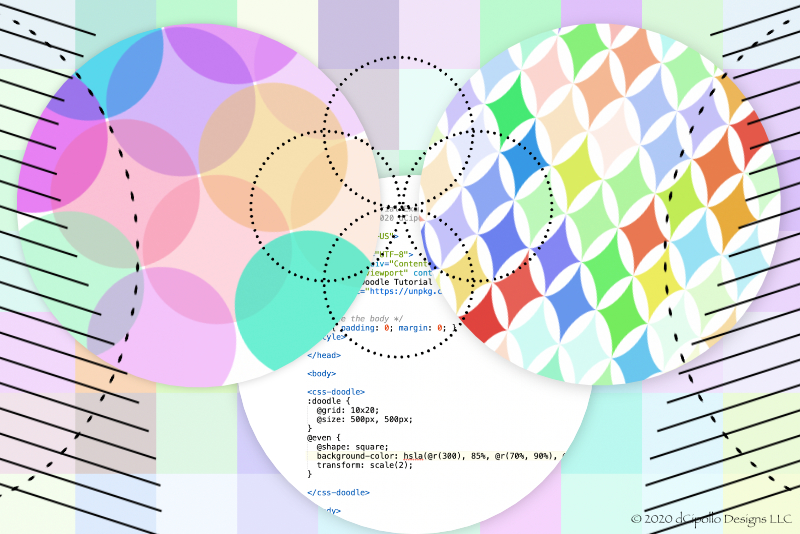
Code art, algorithmic art or generative art is created on the computer, using code and the algorithms behind the code, to manipulate dots, lines, shapes, color, value, space, texture and form. There are several computer languages that you can use to create code art. In this tutorial, I will share my two favorite languages for coding art. But first, how does code art differ from design software?
But, if you love to code as I do, there are several coding languages for creating art on the computer completely with code. One of the features that I like best about creating art with code is the true randomness one can achieve with code. For example, I love to create geometric patterns with code, as the shape and color combinations one can achieve are almost unlimited. Most of these coding languages have a base in existing languages such as HTML/CSS, Java, JavaScript, Python and C++. Starting with these languages, developers have written new specialized selectors, properties and functions specific to visual art and for the digital artists.
h1 { text-shadow: 20px 20px; }
However, CSS can go far beyond the simple drop shadow on a web page.
and the :doodle selector in to the HTML code. Everything happens inside these custom tags.
<css-doodle>
:doodle {
}
</css-doodle>
Processing is my second favorite because you can use the environment to code so much more than random patterns. You can code custom programs, called sketches, with animation, interaction and 3D graphics. With Processing, I was able to code a simple program that I use to randomly place several design elements, which I created in Affinity Designer, on the canvas. I then can drag these elements on the canvas to create a composition. Because the design elements are randomly added to the canvas, I find I can add greater variety to my designs.
css doodle
https://css-doodle.com/
Processing Fundation
https://processing.org/
p5.js JavaScript Library and Online Editor
https://p5js.org/
Open Processing
https://www.openprocessing.org/
Design Software vs Computer Code
Most digital artists have their favorite creative software. My favorites are the Affinity Suite by Serif and Adobe Photoshop. The digital artist uses the software user interface controls to create a design, using software features such as adjustments, effects, color controls, and drawing and painting tools. The artist never thinks about the code and algorithms working behind the tools and panels.But, if you love to code as I do, there are several coding languages for creating art on the computer completely with code. One of the features that I like best about creating art with code is the true randomness one can achieve with code. For example, I love to create geometric patterns with code, as the shape and color combinations one can achieve are almost unlimited. Most of these coding languages have a base in existing languages such as HTML/CSS, Java, JavaScript, Python and C++. Starting with these languages, developers have written new specialized selectors, properties and functions specific to visual art and for the digital artists.
CSS
One example of using code to create design that we all see every day is CSS, also known as Cascading Style Sheets. The web designer uses CSS code to manipulate and display design elements on the web page. For example, with one line of code the web designer can add a drop shadow to a title text.h1 { text-shadow: 20px 20px; }
However, CSS can go far beyond the simple drop shadow on a web page.
css-doodle
One of my favorites is css-doodle by Yuan Chuan. css-doodle is an open source JavaScript based web component for drawing patterns with CSS. I use css-doodle to generate random patterns that I can use as inspiration for my digital planner designs. Besides the beautiful random patterns that I can achieve, it is also very easy to get started using css-doodle. You just start a web page and use the script tag to call the css-doodle.js or css-doodle.min.js script. Then add the custom element<css-doodle>
:doodle {
}
</css-doodle>
Processing
Processing is an open source programming language and environment for visually teaching beginners how to code. It was started in 2001 and released under the General Public License by the Free Software Foundation, Inc.. It has been so popular that Processing comes in several programming modes including the JavaScript (p5.js), Python (Processing.py), Android and the original Java mode. You can use Processing on Mac, Windows and Linux. I personally use the p5.js Javascript option, because you can write your code using the online p5.js editor or your favorite code editor.Processing is my second favorite because you can use the environment to code so much more than random patterns. You can code custom programs, called sketches, with animation, interaction and 3D graphics. With Processing, I was able to code a simple program that I use to randomly place several design elements, which I created in Affinity Designer, on the canvas. I then can drag these elements on the canvas to create a composition. Because the design elements are randomly added to the canvas, I find I can add greater variety to my designs.
css doodle
https://css-doodle.com/
Processing Fundation
https://processing.org/
p5.js JavaScript Library and Online Editor
https://p5js.org/
Open Processing
https://www.openprocessing.org/

Related Articles
Editor's Picks Articles
Top Ten Articles
Previous Features
Site Map
Content copyright © 2023 by Diane Cipollo. All rights reserved.
This content was written by Diane Cipollo. If you wish to use this content in any manner, you need written permission. Contact Diane Cipollo for details.