Growing Your Creative Business Through Instagram
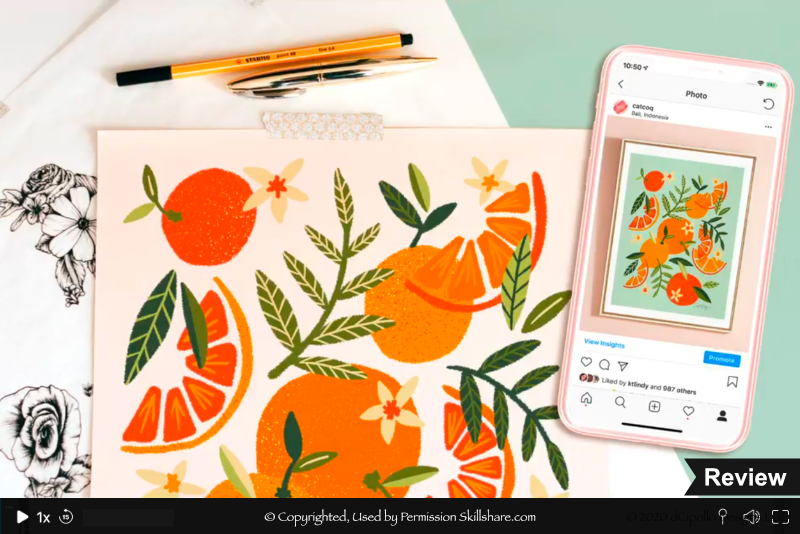
In this Skillshare course, Growing Your Creative Business Through Instagram, Cat Coquillette shares her best tips for growing your creative business on Instagram. Derived from her own experiences, Coquillette does so much more than give her viewers a list of to-do's, by discussing the why and how these tips have worked well for her.
She begins with an overview of her best tips for getting noticed on Instagram by targeting both your Instagram users but also the Instagram platform. She shares her thoughts behind the importance of converting from a personal to a business or creator profile and the extra features available with the upgrade.
Next, she discusses her choice of Instagram hashtags and how she chooses hashtags in order to reach a larger audience than just her fellow artists. She also suggests other ideas such as contests, discount codes and other ways to increase engagement with your Instagram followers.
After this solid introduction, Coquillette moves on to content ideas for your Instagram posts and how she encourages engagement by using a combination of post and stories. She covers her process for posting product mockups and time-laspse videos, including photography tips on backdrops, lighting and her favorite editing app.
Coquillette discusses the importance of using Instagram features for engaging followers, including stories with captions and stickers. She demonstrates how to post a story and discusses the importance of frequency and consistency for posting on Instagram. She discusses her favorite app, Planoly, for planning, scheduling and layout of her Instragram feed. In her Bonus video, she discusses common mistakes and best practices such as optimizing your Instagram profile.
Cat Coquillette is the founder of the CatCoq brand. She offers Skillshare courses on topics ranging from analog and digital art to growing your creative business. She is one of my favorite teachers on Skillshare, as she seems to have answers to questions that I haven't thought of yet. Here are a few more of her courses.
A Step-by-Step Guide to Art Licensing: Sell Your First Piece of Artwork Online
Design Top-Selling Product Mockups with Your Art ✶ BONUS: 10 Free Downloads ✶
Building a Career in Illustration: Explore Print-On-Demand | Learn with society6
Social Media Marketing: Top Tips for Growing Your Followers & Going Viral
Growing Your Creative Business Through Instagram by Cat Coquillette
Disclosure: As a participant in the Skillshare affiliate program, some of the links in this article are affiliate links. However, my opinions are completely my own based on my experience.
Screenshots used by permission of Skillshare .
She begins with an overview of her best tips for getting noticed on Instagram by targeting both your Instagram users but also the Instagram platform. She shares her thoughts behind the importance of converting from a personal to a business or creator profile and the extra features available with the upgrade.
Next, she discusses her choice of Instagram hashtags and how she chooses hashtags in order to reach a larger audience than just her fellow artists. She also suggests other ideas such as contests, discount codes and other ways to increase engagement with your Instagram followers.
After this solid introduction, Coquillette moves on to content ideas for your Instagram posts and how she encourages engagement by using a combination of post and stories. She covers her process for posting product mockups and time-laspse videos, including photography tips on backdrops, lighting and her favorite editing app.
Coquillette discusses the importance of using Instagram features for engaging followers, including stories with captions and stickers. She demonstrates how to post a story and discusses the importance of frequency and consistency for posting on Instagram. She discusses her favorite app, Planoly, for planning, scheduling and layout of her Instragram feed. In her Bonus video, she discusses common mistakes and best practices such as optimizing your Instagram profile.
Cat Coquillette is the founder of the CatCoq brand. She offers Skillshare courses on topics ranging from analog and digital art to growing your creative business. She is one of my favorite teachers on Skillshare, as she seems to have answers to questions that I haven't thought of yet. Here are a few more of her courses.
A Step-by-Step Guide to Art Licensing: Sell Your First Piece of Artwork Online
Design Top-Selling Product Mockups with Your Art ✶ BONUS: 10 Free Downloads ✶
Building a Career in Illustration: Explore Print-On-Demand | Learn with society6
Social Media Marketing: Top Tips for Growing Your Followers & Going Viral
Growing Your Creative Business Through Instagram by Cat Coquillette
Disclosure: As a participant in the Skillshare affiliate program, some of the links in this article are affiliate links. However, my opinions are completely my own based on my experience.
Screenshots used by permission of Skillshare .

Related Articles
Editor's Picks Articles
Top Ten Articles
Previous Features
Site Map
Content copyright © 2023 by Diane Cipollo. All rights reserved.
This content was written by Diane Cipollo. If you wish to use this content in any manner, you need written permission. Contact Diane Cipollo for details.