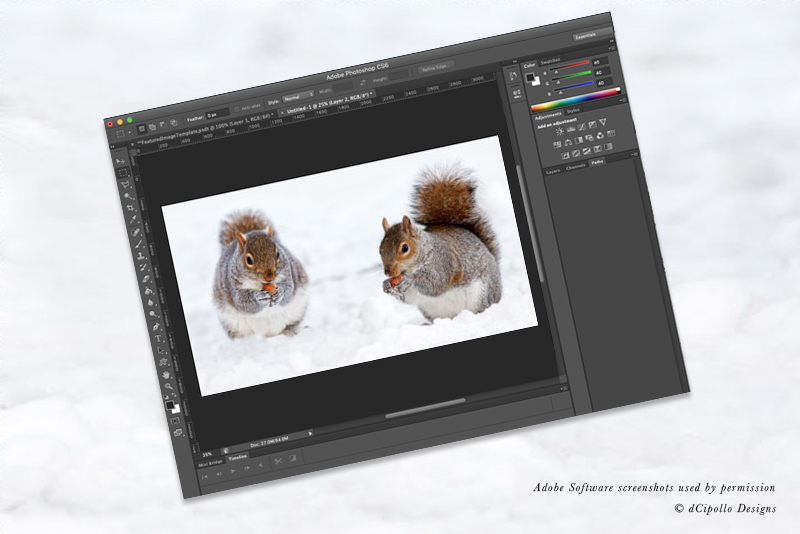
Adobe Photoshop CS
Digital Art and Design Information
Adding A Monochromatic Effect To A Photograph Using Photoshop CS  One of the BellaOnline editors emailed me a few days ago and asked how to apply a monochromatic effect to a photograph using Photoshop CS. She had seen this effect used on a website and liked it so much she wanted to use the technique on images for her own website. It is a simple technique . . . Filling A Layer Or Selection With A Pattern - Photoshop CS  Filling an entire layer or a selected section of a layer with a pattern is an easy and fast way to create backgrounds for scrapbooking pages, greeting cards and other projects. Photoshop CS makes it as easy. How To Add A Color To The Swatches Palette - Photoshop CS  As you work on a project, you will use certain colors frequently. Photoshop has a great feature that allows you to add your favorite custom colors to the Swatches palette. There are two ways to do this. Below are the steps for both. How To Bend Or Curve An Image – Photoshop CS Shear Filter  Recently a friend asked me how to bend an image using Photoshop CS. He had a long, thin border image that he wanted to bend into a curve. There are many ways to do this in Photoshop, but the one that worked best for his needs was to use the Shear Filter. Here is how it was done. How To Create A Harvest Moon In Photoshop CS  Its fall and it will soon be Halloween. If your project is about Halloween or just an autumn theme you might want a harvest moon in the sky. Here is a simple and fast method to create a harvest moon in Photoshop CS. The moon will be on a transparent background making it easy for you to copy + paste How To Save A Custom Pattern - Photoshop CS  Patterns are used with several tools in Photoshop CS and the program comes with many preset patterns. But there will be times when you want to create your own pattern for a special project. In Photoshop CS it is easy to define a new pattern and save it to the list in the Pattern Picker. Layer Basics In Photoshop CS  In this tutorial we will learn the basics of working with layers in Photoshop. Much of the magic of Photoshop is in the layers. We will learn how to select, move, delete, duplicate, rename and create a new layer. Optimizing A JPEG Image In Adobe Photoshop CS - Save For The Web Feature  Once you have your image ready to debut on the web you will want to save the image in a format that can be used on the web. With the Save for Web optimizing feature this is easily done in Photoshop CS. Photoshop CS - Editable Type On A Path  One of the new and improved features in Adobe Photoshop CS is the editable type on a path feature which is an easy method of placing horizontal or vertical text on a path. The text remains editable throughout the process, allowing for unlimited editing until the final step. Resize The Height, Width and Resolution Of An Image With The Adobe Photoshop CS Crop Tool  One of the most common reasons for resizing an image is to reduce an image to a smaller size for the web. In this tutorial I will show you how to reduce an image using Adobe Photoshop CS. I will reduce a large image to a much smaller size and resolution. Save Your Customized Workspace - Photoshop CS  Photoshop CS is a very versatile program that you can use for such a variety of projects from digital art which is distended for print to graphics meant for the web. As you work on such differing projects, you will want to customize the workspace. This tutorial will show you how to save your custom The Gradient Tool And The Gradient Picker In Adobe Photoshop CS  Painting a gradient in Photoshop CS is as easy as using the Gradient tool and drawing a line with your mouse. You can paint a gradient on an entire layer or just part of a layer.
Digital Art and Design Homepage |
Digital Art and Design Site Map
Think your link belongs here? Use the contact page to let this editor know.
|