Photoshop Animation - Animating Text
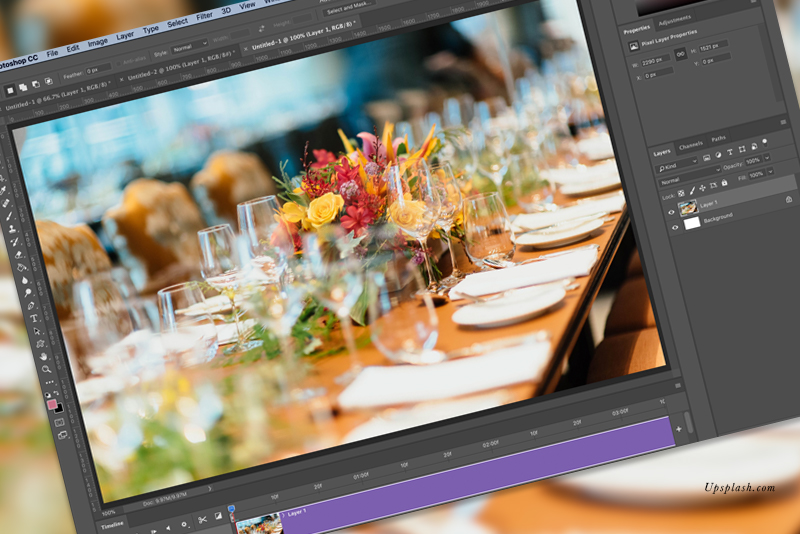
In this Photoshop tutorial, we will start animating the design elements in our Facebook video cover template. Each element is on its own layer, so we can control them individually.
As you can see at this point, we have two placeholder graphic layers at the bottom and eight placeholder text layers (see screenshot). We have already expanded the graphic layers to the total duration (20 seconds) for our video but the text layers are still set to the default five seconds (see screenshot). That's OK for now, as we will be moving these tracks along the Timeline as needed. For now, let's turn off the visibility (Eye icon in Layers panel) of all layers except the bottom layer.
Scene 1 Frame by Frame
Timecode (0:00:00:00) Frame 1: The video will begin with the bottom background graphic visible.
Timecode (0:00:01:00) Frame 30: One second (30 frames) after the start of the video, the Business Name text will fade on to the screen. (duration: .5 sec)
Timecode (0:00:02:00) Frame 60: Two seconds after the start of the video, the Type of Business text will fade in. (duration: .5 sec)
We will do all this in the Timeline panel.
In the next tutorial, we will use the Transform property to animate the second placeholder graphic.
Back | Next
Copyright 2018 Adobe Systems Incorporated. All rights reserved. Adobe product screen shot(s) reprinted with permission from Adobe Systems Incorporated. Adobe, Photoshop is/are either [a] registered trademark[s] or a trademark[s] of Adobe Systems Incorporated in the United States and/or other countries.
As you can see at this point, we have two placeholder graphic layers at the bottom and eight placeholder text layers (see screenshot). We have already expanded the graphic layers to the total duration (20 seconds) for our video but the text layers are still set to the default five seconds (see screenshot). That's OK for now, as we will be moving these tracks along the Timeline as needed. For now, let's turn off the visibility (Eye icon in Layers panel) of all layers except the bottom layer.
Scene 1 Frame by Frame
Timecode (0:00:00:00) Frame 1: The video will begin with the bottom background graphic visible.
Timecode (0:00:01:00) Frame 30: One second (30 frames) after the start of the video, the Business Name text will fade on to the screen. (duration: .5 sec)
Timecode (0:00:02:00) Frame 60: Two seconds after the start of the video, the Type of Business text will fade in. (duration: .5 sec)
We will do all this in the Timeline panel.
- In the Timeline panel, each text layer has its own properties that we can animate.
- Expand the Text Group layer in the Timeline panel to display all the layers of text (see screenshot).
- Move the Playhead to the Timecode (0:00:01:00) and drag the left edge of each text layer to the Playhead. This will make the text layers invisible until Timecode (0:00:01:00).
- Expand the Business Name text layer to show the properties list. With the Playhead at Timecode (0:00:01:00), click the Stop Watch icon for the Opacity property.
You should see (see screenshot) a small yellow Keyframe added to the Opacity property. This sets the beginning of this text layer animation. - Move the Playhead 15 frames to the right. Timecode (0:00:01:15)
- With only the Business Name layer selected, click the small triangle for the Opacity property in the properties list to add a second keyframe.
You should now have two keyframes on the Opacity property.
At this point, the text is still visible at both keyframe locations. Let's hide the text on the first frame of this fade in animation. - Move the Playhead back to the beginning frame. Now go to the Layer's panel and reduce the Opacity of the layer to 0%.
Our last task is to animate the Type of Business text. - Move the Playhead to the two second mark on the Time Ruler (02:00) or Timecode (0:00:02:00). Drag the left edge of this track to the Playhead.
- Select the Type of Business text and expand to see the properties. Repeat the previous steps to add the two keyframes and reduce the Opacity to 0% at the first keyframe.
In the next tutorial, we will use the Transform property to animate the second placeholder graphic.
Back | Next
Copyright 2018 Adobe Systems Incorporated. All rights reserved. Adobe product screen shot(s) reprinted with permission from Adobe Systems Incorporated. Adobe, Photoshop is/are either [a] registered trademark[s] or a trademark[s] of Adobe Systems Incorporated in the United States and/or other countries.

Related Articles
Editor's Picks Articles
Top Ten Articles
Previous Features
Site Map
Content copyright © 2023 by Diane Cipollo. All rights reserved.
This content was written by Diane Cipollo. If you wish to use this content in any manner, you need written permission. Contact Diane Cipollo for details.