Xbox Errors - Disc Dirty
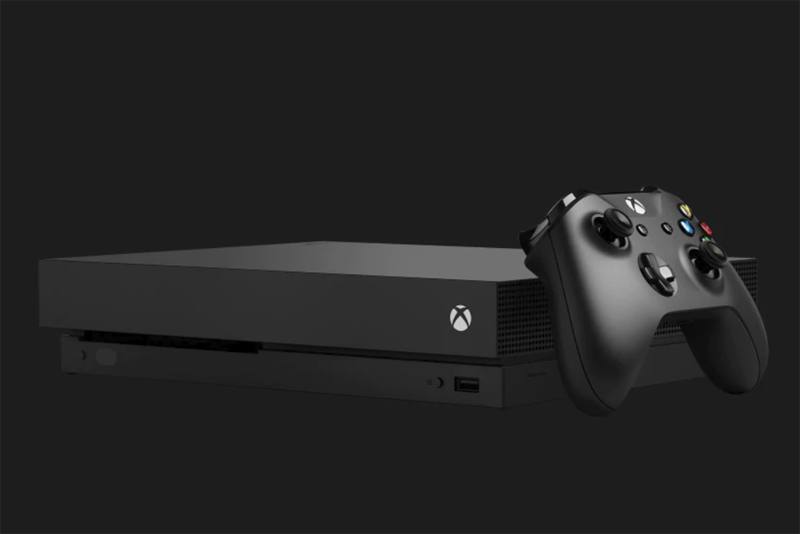
Anybody who has used a game console non-stop for months on end knows this type of error. A system involving spinning disks and lasers is bound to get dusty.
The first step is to of course make sure the game CD you're playing (or music CD / video DVD) is in good shape. Many people take awful care of their data disks! Clean the CD from the center outward - never clean in circular motions. If you have scratches on the disk, there are many commercially available CD fixers on the market that can help. However if you REALLY have scratched the disc (i.e. the actual data layer is damaged) it's time to buy a new game.
Next, it's time to look at your XBox system. Look at its underside and see when it was made. If this is one of the first XBoxes released, well, it's probably on its last legs by now. Not only has it been MANY years since those came out - but the first releases of any system are always the ones where the glitches have not been worked out yet. It's just like buying a car. If you buy a brand new model of a car, you're likely to have problems. If you get a car that is in its 3rd or 4th year of release, the engineers have seen the problems, fixed them, and you are all set. It's time to get a new one.
If your system is relatively new, though, then it shouldn't have suffered the slings and arrows of outrageous fortune yet. Hopefully you've been taking good care of your unit, keeping it up away from the floor, dirt, and dust mites - and not running it 24 hours a day so its innards melt :) If you've been mistreating your XBox, shame on you! No wonder it has a cold :)
So first off, find a location for the XBox that is up off the floor and away from dust. Next, go to the store and get a CD cleaner. In essence it's a CD with a little brush attached to it. When you put the CD into your XBox, it spins and the little brush goes up against the laser area, hopefully cleaning it of dust and dirt. It might or might not work, depending on how gunked up your system is.
At this point, if it's still giving errors, it's time to call Microsoft support. They give you a built in 90 day warranty, and most stores offer an add-on full year warranty. I always advise getting a warranty if you're a true game player - because you're going to be heating up your system and abusing the drives inside it if you are. You will want that warranty. Get your system repaired, and get back to playing!
The first step is to of course make sure the game CD you're playing (or music CD / video DVD) is in good shape. Many people take awful care of their data disks! Clean the CD from the center outward - never clean in circular motions. If you have scratches on the disk, there are many commercially available CD fixers on the market that can help. However if you REALLY have scratched the disc (i.e. the actual data layer is damaged) it's time to buy a new game.
Next, it's time to look at your XBox system. Look at its underside and see when it was made. If this is one of the first XBoxes released, well, it's probably on its last legs by now. Not only has it been MANY years since those came out - but the first releases of any system are always the ones where the glitches have not been worked out yet. It's just like buying a car. If you buy a brand new model of a car, you're likely to have problems. If you get a car that is in its 3rd or 4th year of release, the engineers have seen the problems, fixed them, and you are all set. It's time to get a new one.
If your system is relatively new, though, then it shouldn't have suffered the slings and arrows of outrageous fortune yet. Hopefully you've been taking good care of your unit, keeping it up away from the floor, dirt, and dust mites - and not running it 24 hours a day so its innards melt :) If you've been mistreating your XBox, shame on you! No wonder it has a cold :)
So first off, find a location for the XBox that is up off the floor and away from dust. Next, go to the store and get a CD cleaner. In essence it's a CD with a little brush attached to it. When you put the CD into your XBox, it spins and the little brush goes up against the laser area, hopefully cleaning it of dust and dirt. It might or might not work, depending on how gunked up your system is.
At this point, if it's still giving errors, it's time to call Microsoft support. They give you a built in 90 day warranty, and most stores offer an add-on full year warranty. I always advise getting a warranty if you're a true game player - because you're going to be heating up your system and abusing the drives inside it if you are. You will want that warranty. Get your system repaired, and get back to playing!

Editor's Picks Articles
Top Ten Articles
Previous Features
Site Map
Follow @lisavideogames
Tweet
Content copyright © 2023 by Lisa Shea. All rights reserved.
This content was written by Lisa Shea. If you wish to use this content in any manner, you need written permission. Contact Lisa Shea for details.