InDesign Fixed Layout ePub Sound Files
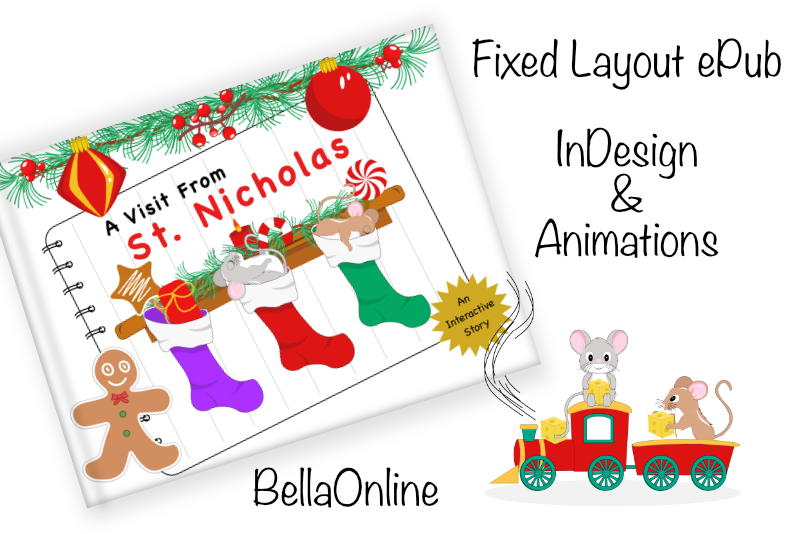
We will continue to work on our InDesign® fixed layout ePub project. Now we will program the play button to play the narration when clicked.
Sleigh Bells Ringing by Mike Koenig at SoundBible
https://soundbible.com/search.php?q=sleigh+bells+ringing
Back
Index - InDesign Fixed Layout ePub
© 2024 Adobe Systems Incorporated. All rights reserved. Adobe® product screen shot(s) reprinted with permission from Adobe Systems Incorporated. Adobe, Photoshop, Illustrator, InDesign is/are either [a] registered trademark[s] or a trademark[s] of Adobe Systems Incorporated in the United States and/or other countries.
- Select the play button graphic and open the Buttons and Forms panel.
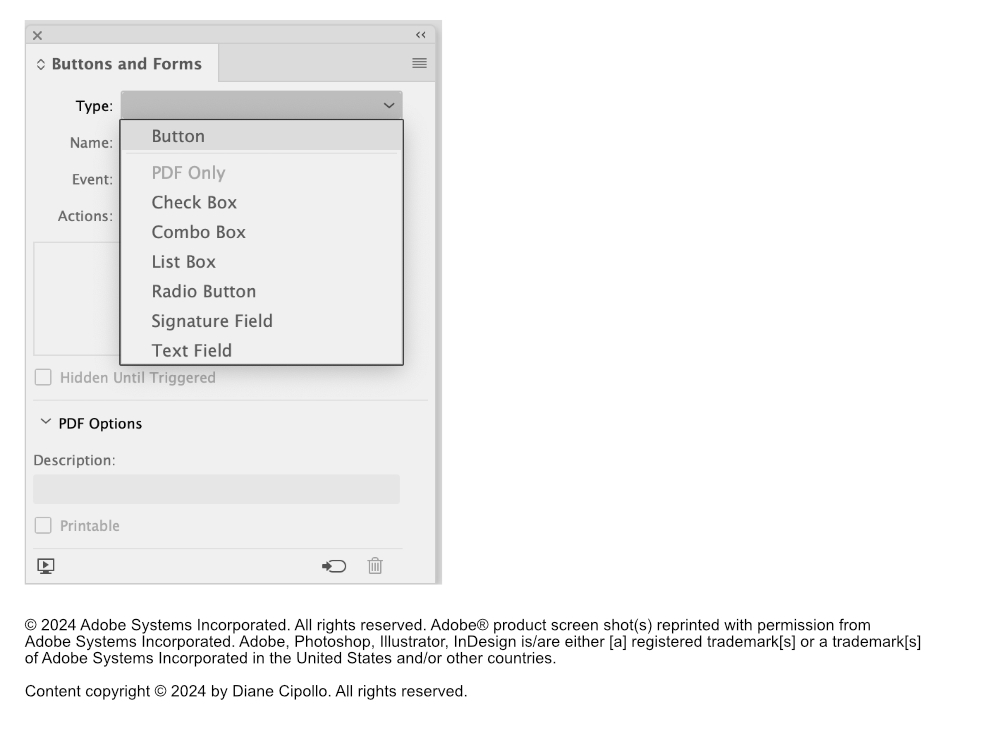
- Set the Type to Button from the drop down menu (see screenshot).
- Name the button NarrationButton.
- Keep the Event set to On Release or Tap.
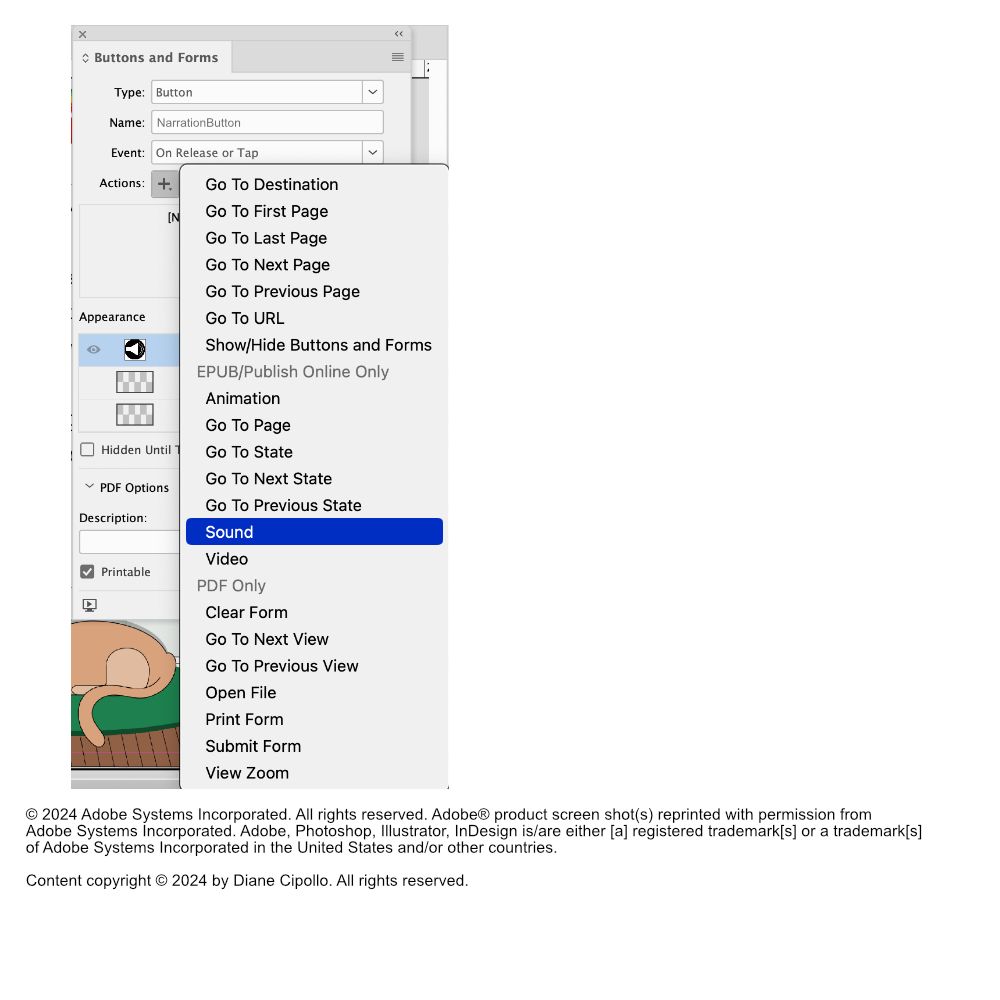
- Click the Plus icon next to Actions and choose Sound (see screenshot).
- Click the Preview icon at the bottom left corner of the Buttons and Forms panel, to open this page into the preview player.
- After the page displays in the player, click the play button and you should hear the narration.
- Repeat these steps for the other pages that contain text.
- Load the narration file mp3 as you did previously.
- Do not go to the Buttons and Forms panel. This time we want the Media panel (see screenshot).
- With the sound file still selected, open the Media panel.
- Check the boxes next to Play on Page Load and Stop on Page Turn.
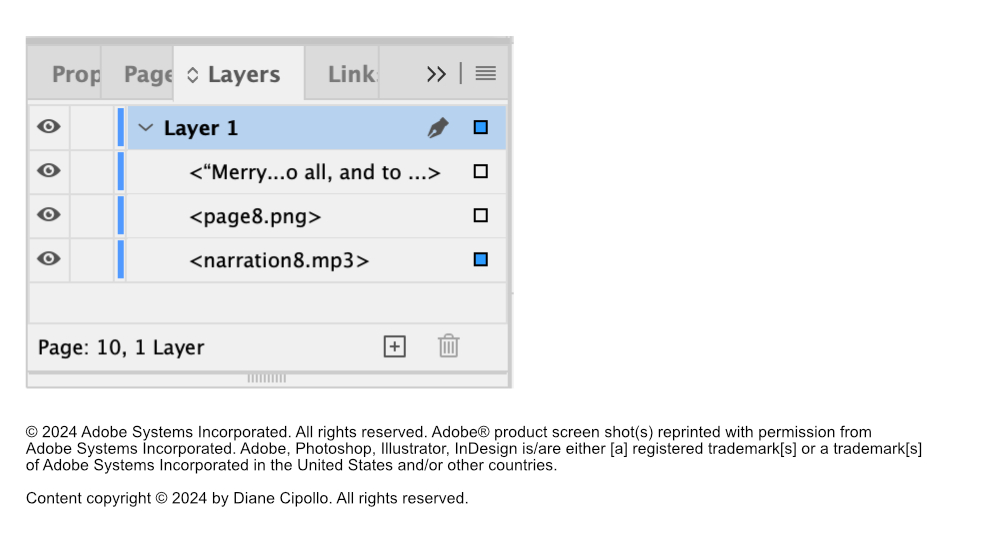
- In the Layers panel, drag the narration mp3 file layer below the background graphic layer (see screenshot).
You will see the name of your sound file listed in the box below. This is because you have already added the sound file to your page. Let's test our new button. InDesign has a built-in preview player, called the EPUB Interactive Preview, that we will use to test the button.
But what if we want to play the narration when the page loads and not wait until a button is clicked? That's easy to do. In fact, that's what I did on the last page of the poem.
For the last page, I set the narration to play on page load as a graphic of Santa in his sleigh moves on to the page from the left.
Here's how to have the sound file play when the page loads and stop when the reader exits the page.
Now we want to hide the sound file icon. Since we don't have a play button, we can hide the sound icon by putting it below the background graphic in the Layers panel.
Sleigh Bells Ringing by Mike Koenig at SoundBible
https://soundbible.com/search.php?q=sleigh+bells+ringing
Back
Index - InDesign Fixed Layout ePub
© 2024 Adobe Systems Incorporated. All rights reserved. Adobe® product screen shot(s) reprinted with permission from Adobe Systems Incorporated. Adobe, Photoshop, Illustrator, InDesign is/are either [a] registered trademark[s] or a trademark[s] of Adobe Systems Incorporated in the United States and/or other countries.

Related Articles
Editor's Picks Articles
Top Ten Articles
Previous Features
Site Map
Content copyright © 2023 by Diane Cipollo. All rights reserved.
This content was written by Diane Cipollo. If you wish to use this content in any manner, you need written permission. Contact Diane Cipollo for details.