

Adobe Creative Cloud Photography Plan
I have been using Photoshop® CS6 for many years, because I really don't like the idea of buying software with a perpetual price tag. However, recently I finally gave in and subscribed to Adobe's Photography plan, which is only $9.99 a month. So I can now write tutorials including screenshots from Photoshop CC.
With this plan, you not only get Photoshop CC but also Photoshop Lightroom CC, Lightroom Classic CC, Adobe Spark Premium, Adobe Typekit, Adobe Portfolio and 20GB Cloud Storage. I don't use Lightroom, so I will skip over that feature of the plan and discuss the other goodies that are included.
Adobe Spark® is Adobe's answer to Canva.com. These two drag-and-drop graphic design apps have comparable features. You get Spark premium features with your Creative Cloud® plan but need to subscribe to the Canva for Work plan for the same features on Canva.com. So, getting Spark with my CC plan was a nice surprise.
Adobe Typekit deserves an article of its own, but for now let's say it makes using designer fonts in your designs much easier, because it is all synched to your Creative Cloud plan. In fact, the number of fonts you can use is determined by your choice of Creative Cloud plans. You can easily use these fonts on your website by adding a little embed code, much like you do with Google fonts. But what I like most is that you can synch these fonts with all your CC desktop and mobile apps.
If you are planning to create Photoshop templates or stock graphics for sale on Adobe Stock, Photoshop CC makes it very easy, as you can upload your stock for sale directly from within Photoshop CC. As you can only use Typekit fonts in templates that you wish to sale on Adobe Stock, having the fonts synched within the font list in Photoshop is a great timesaver (see screenshot). I also like that you can download a few free templates from Adobe stock, to get a good idea of how to build your own templates.
You can search for stock images both from the Adobe Stock website and from within Photoshop, using the Library panel (see screenshot). Each image has a watermarked low resolution preview that you can download and use in project proofs for your clients. If you get the OK from your client, just purchase the high res version of the image.
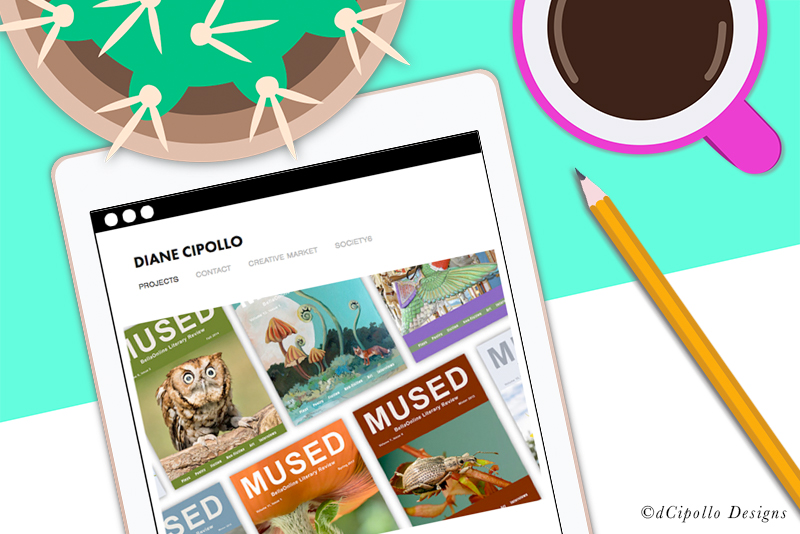
As it was time to update my website and portfolio, I decided to take a look at the Adobe Portfolio. The first thing that you will like is that your portfolio is synched with your Behance account. If you add something to your portfolio, it will also show on your Behance page.
https://www.adobe.com/creativecloud/plans.html
https://typekit.com/
https://blog.typekit.com/https://helpx.adobe.com/typekit/using/add-fonts-website.html
https://stock.adobe.com
https://spark.adobe.com
https://www.myportfolio.com/
https://www.behance.net/
Copyright 2018 Adobe Systems Incorporated. All rights reserved. Adobe product screen shot(s) reprinted with permission from Adobe Systems Incorporated. Adobe, Photoshop, Photoshop Album, Photoshop Elements, Illustrator, InDesign, GoLive, Acrobat, Cue, Premiere Pro, Premiere Elements, Bridge, After Effects, InCopy, Dreamweaver, Flash, ActionScript, Fireworks, Contribute, Captivate, Flash Catalyst and Flash Paper is/are either [a] registered trademark[s] or a trademark[s] of Adobe Systems Incorporated in the United States and/or other countries.
With this plan, you not only get Photoshop CC but also Photoshop Lightroom CC, Lightroom Classic CC, Adobe Spark Premium, Adobe Typekit, Adobe Portfolio and 20GB Cloud Storage. I don't use Lightroom, so I will skip over that feature of the plan and discuss the other goodies that are included.
Adobe Spark® is Adobe's answer to Canva.com. These two drag-and-drop graphic design apps have comparable features. You get Spark premium features with your Creative Cloud® plan but need to subscribe to the Canva for Work plan for the same features on Canva.com. So, getting Spark with my CC plan was a nice surprise.
Adobe Typekit deserves an article of its own, but for now let's say it makes using designer fonts in your designs much easier, because it is all synched to your Creative Cloud plan. In fact, the number of fonts you can use is determined by your choice of Creative Cloud plans. You can easily use these fonts on your website by adding a little embed code, much like you do with Google fonts. But what I like most is that you can synch these fonts with all your CC desktop and mobile apps.
If you are planning to create Photoshop templates or stock graphics for sale on Adobe Stock, Photoshop CC makes it very easy, as you can upload your stock for sale directly from within Photoshop CC. As you can only use Typekit fonts in templates that you wish to sale on Adobe Stock, having the fonts synched within the font list in Photoshop is a great timesaver (see screenshot). I also like that you can download a few free templates from Adobe stock, to get a good idea of how to build your own templates.
You can search for stock images both from the Adobe Stock website and from within Photoshop, using the Library panel (see screenshot). Each image has a watermarked low resolution preview that you can download and use in project proofs for your clients. If you get the OK from your client, just purchase the high res version of the image.
As it was time to update my website and portfolio, I decided to take a look at the Adobe Portfolio. The first thing that you will like is that your portfolio is synched with your Behance account. If you add something to your portfolio, it will also show on your Behance page.
https://www.adobe.com/creativecloud/plans.html
https://typekit.com/
https://blog.typekit.com/https://helpx.adobe.com/typekit/using/add-fonts-website.html
https://stock.adobe.com
https://spark.adobe.com
https://www.myportfolio.com/
https://www.behance.net/
Copyright 2018 Adobe Systems Incorporated. All rights reserved. Adobe product screen shot(s) reprinted with permission from Adobe Systems Incorporated. Adobe, Photoshop, Photoshop Album, Photoshop Elements, Illustrator, InDesign, GoLive, Acrobat, Cue, Premiere Pro, Premiere Elements, Bridge, After Effects, InCopy, Dreamweaver, Flash, ActionScript, Fireworks, Contribute, Captivate, Flash Catalyst and Flash Paper is/are either [a] registered trademark[s] or a trademark[s] of Adobe Systems Incorporated in the United States and/or other countries.

Related Articles
Editor's Picks Articles
Top Ten Articles
Previous Features
Site Map
Content copyright © 2023 by Diane Cipollo. All rights reserved.
This content was written by Diane Cipollo. If you wish to use this content in any manner, you need written permission. Contact Diane Cipollo for details.






